How To Watch Inter Miami vs Vancouver: A Complete Guide to Streaming the MLS Cup 2025 Final

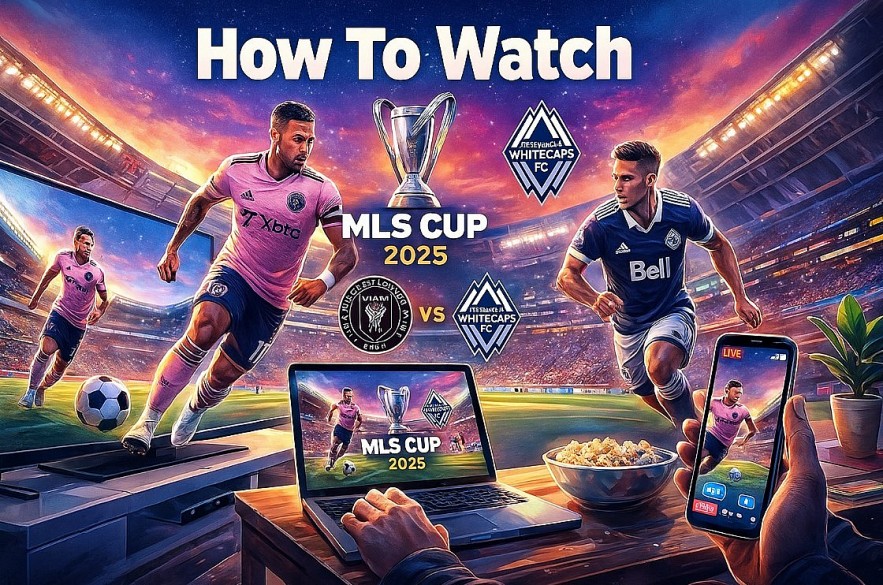 |
| Watching the MLS Cup 2025 final between Inter Miami and Vancouver |
The showdown takes place on December 6 in Fort Lauderdale with millions of fans preparing to tune in across the United States. Whether you want to stream it on your TV, laptop, phone, or join a watch party, this guide walks you through every option with detailed instructions.
This upgraded version includes step by step guidance, device specific tips, subscription comparisons, troubleshooting steps, and viewing recommendations to help you enjoy the match in the best way possible.
Learn more: MLS Cup 2025 Final Preview: Inter Miami vs Vancouver in a Historic Championship Clash
1. Watch on MLS Season Pass (Apple TV) – The Official and Most Reliable Method
MLS Season Pass is the primary broadcast home for the MLS Cup. No blackouts, no local restrictions, and no complicated packages.
How to subscribe or access the match
-
Open the Apple TV app on your smart TV, phone, computer, or streaming device.
-
Search for “MLS Season Pass”.
-
If you already subscribe, the match will appear automatically.
-
If not, choose between a monthly pass or the full season plan.
Devices that support MLS Season Pass
You can watch seamlessly on:
-
Apple TV 4K
-
Roku
-
Amazon Fire TV
-
Samsung and LG smart TVs
-
PlayStation 5 and Xbox Series X
-
iPhone, iPad, Android phones
-
Any browser through tv.apple.com
This flexibility makes Apple TV the easiest universal option.
Why MLS Season Pass is the best choice
-
Full 1080p with high frame rates
-
English and Spanish commentary
-
No cable contract needed
-
Works instantly once logged in
-
Bonus content includes pregame shows, interviews, and tactical breakdowns
Pro tips for smooth streaming
-
Update your Apple TV app before match day
-
Log in early to reduce authentication delays
-
Connect through Ethernet if available for extra stability
-
Use the “Start Live” button to jump in at kickoff
2. Watching Through Cable or Satellite Providers
While Apple holds core streaming rights, many cable subscribers still want traditional television coverage. Some networks offer:
-
Extended pregame analysis
-
Halftime commentary
-
Post match breakdowns
-
Local coverage in Miami and Vancouver regions
Check your provider lineup for:
-
FS1
-
Fox regional affiliates
-
Local sports channels covering MLS markets
If you prefer watching sports in a living room environment with channel switching, this can complement your streaming setup.
3. Live TV Streaming Platforms: A Strong Add On Option
Even though MLS Season Pass carries the match itself, live TV streaming services add value through analysis, shows, and real time sports updates.
Popular services:
-
YouTube TV
-
Hulu + Live TV
-
Fubo
-
DirecTV Stream
What they offer:
-
Sports talk shows covering the MLS Cup hours before kickoff
-
Alerts before major events
-
Recording features for post match recaps
If you already subscribe, use them together with Apple TV to cover all content surrounding the final.
4. How to Watch on Your Phone or Tablet
Watching Inter Miami vs Vancouver on mobile devices is simple, but there are ways to make the experience smoother.
Set up steps
-
Install the Apple TV app from the App Store or Google Play.
-
Sign in with your Apple ID.
-
Tap the MLS Season Pass section.
-
Select the live match.
Improve your mobile viewing
-
Switch to Wi Fi to avoid mobile data drops
-
Use headphones for clearer commentary
-
Turn off screen dimming for long watching sessions
-
Download the match recap afterward for offline viewing
Phones and tablets are perfect for fans traveling or multitasking during match day.
 |
| Inter Miami vs Vancouver |
5. How to Watch on a Laptop or Desktop
Some fans prefer the comfort of a computer screen.
Steps
-
Visit tv.apple.com in your browser.
-
Log in to your Apple ID.
-
Choose MLS Season Pass.
-
Click the Inter Miami vs Vancouver match tile.
Optimizing your stream
-
Close unused tabs
-
Plug in your laptop to avoid battery saving performance drops
-
If using Wi Fi, stay close to the router
-
Use Chrome or Safari for best performance
This method is ideal for fans at work or traveling with limited devices.
6. Smart TV Viewing Guide: Device by Device
This section helps users who want a clear setup path based on the TV they own.
Samsung Smart TV
-
Open the Apple TV app in the app gallery
-
Sign in and launch MLS Season Pass
-
Turn on “Motion Plus” for smoother sports playback
LG Smart TV
-
Update your webOS version before match day
-
Open the Apple TV app
-
Adjust picture mode to “Sports” for better color
Sony or Google TV
-
Use Google Play to install Apple TV if not already installed
-
Sign in and load the match
-
Disable energy saving mode to avoid brightness dips
Roku Devices
-
Install or update the Apple TV channel
-
Test playback at least 24 hours before the final
Amazon Fire TV
-
Clear cache if the app runs slowly
-
Restart device for best performance
Smart TV users benefit from the most “living room friendly” experience.
7. Watching Abroad: U.S. Fans Traveling Internationally
MLS Season Pass may restrict access based on location when outside the United States. A trusted VPN helps ensure continuity.
Steps
-
Choose a reputable VPN provider.
-
Connect to a U.S. based server.
-
Sign in to Apple TV.
-
Refresh the MLS Season Pass homepage.
Tips
-
Test your VPN connection ahead of match day
-
Use wired internet if possible
-
Avoid free VPNs due to low stability
This ensures you can still watch the MLS Cup from hotels, airports, or overseas homes.
8. Watch Party Options Across the United States
Many fans prefer to experience the MLS Cup with a crowd. Here are common spots:
-
Sports bars with MLS Season Pass
-
Official Inter Miami fan zones
-
Vancouver supporter group chapters
-
City sponsored outdoor viewing events
-
University sports lounges
Arrive early, especially if you live near Miami or Vancouver where turnout is high.
9. Troubleshooting Guide: Fix Common Streaming Problems
If your stream freezes
-
Lower video quality to “Automatic”
-
Restart the app
-
Switch to 5 GHz Wi Fi if available
If you cannot sign in
-
Reset your Apple ID password ahead of time
-
Update the app to the latest version
-
Test on a different device to isolate the issue
No audio or commentary
-
Switch between English and Spanish
-
Plug in wired speakers or headphones
-
Turn off Bluetooth devices that may interfere
App crashes on Smart TV
-
Reboot the TV
-
Clear app cache
-
Reinstall Apple TV
Following these fixes avoids missing key moments during the match.
10. How to Make the Viewing Experience Better
-
Use a soundbar for fuller stadium audio
-
Turn off room lights to improve screen contrast
-
Set reminders for kickoff
-
Prepare snacks ahead of time
-
Invite friends for a more energetic atmosphere
If the match reaches extra time or penalties, having a solid setup makes the suspense more fun.
Final Thoughts
Watching the MLS Cup 2025 final between Inter Miami and Vancouver is simple as long as you choose the right platform and prepare ahead of time. MLS Season Pass on Apple TV remains the most complete choice, but fans can enhance the experience with cable coverage, live TV platforms, smart TV apps, and watch parties.
 How to Watch MLS Playoffs for Free Without Cable How to Watch MLS Playoffs for Free Without Cable The MLS Playoffs are packed with excitement, and if you’re looking to watch them live without cable, here are some effective options: |
 Why Americans are falling in love with Soccer Why Americans are falling in love with Soccer For decades, Americans have been stereotyped as people who love football (the kind with helmets), baseball, and basketball while scratching their heads at the global ... |
 Who is Lionel Messi: Career, Life in the U.S., and Net Worth Who is Lionel Messi: Career, Life in the U.S., and Net Worth Lionel Messi is one of the most celebrated athletes of all time, renowned for his extraordinary skills, achievements, and influence in football (soccer). |