Top 7 Best Alternatives for Calls, Texts, and 911 When Verizon Is Down

 |
| Verizon Outage Workarounds: Best Alternatives for Calls, Texts, and 911 When Verizon Is Down |
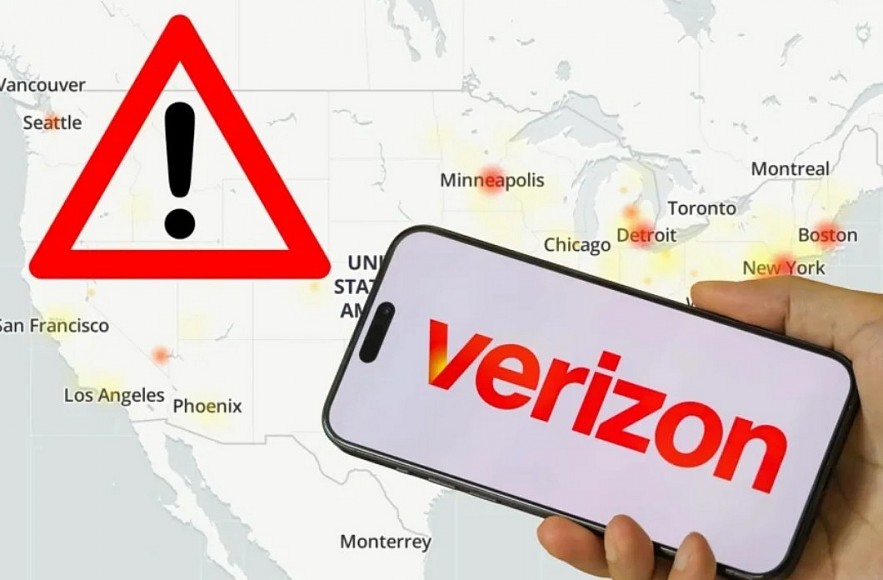
When Verizon has a major outage, the best “backup plan” isn’t one magic trick. It’s a short list of practical alternatives that keep you reachable for work, family, and emergencies — even if your phone shows SOS.
Below are the options that actually help, ranked from quickest to most robust.
Read more: Top 3 Biggest Wireless Carriers in the U.S. Today
1) Use Wi-Fi Calling (best “phone-like” replacement)
If you can connect to Wi-Fi at home, work, school, a café, or a friend’s hotspot, Wi-Fi Calling can let you make and receive calls (and often SMS) using your regular phone number.
-
On iPhone, Wi-Fi Calling is in Settings > Cellular (or Phone) > Wi-Fi Calling. Apple notes you may need to enter an address for emergency services.
-
Verizon provides Wi-Fi Calling FAQs and device-specific steps for iOS and Android.
Important: If you never enabled Wi-Fi Calling before, activation or E911 setup may be harder during an outage for some users.
2) Switch to internet-based calling and messaging apps
If Wi-Fi works but cellular doesn’t, apps that run over the internet are often the fastest way to communicate.
Most useful options:
-
iMessage (iPhone-to-iPhone) and FaceTime / FaceTime Audio over Wi-Fi
-
WhatsApp, Signal, Telegram, Facebook Messenger for messages and voice/video calls
-
Zoom, Google Meet, Microsoft Teams for work calls
These won’t always reach someone’s phone number unless they’re on the same platform, but they’re reliable when the carrier network is failing.
Read more:
- When Verizon Went Down, Public Safety Was Put at Risk
- Who Pays When Verizon Goes Down?
- Verizon Outage Update: Service Largely Restored
3) Use a landline or a business phone for critical calls
During the January 14 outage, city and emergency alerts in places like New York City advised residents: if you can’t connect on Verizon, try a landline or another device.
If you’re in a pinch:
-
Ask a neighbor or nearby business to use their landline
-
Call from a hotel front desk, campus office, or workplace phone system
4) Borrow a phone on another carrier (or keep a backup eSIM)
Officials also advised using a device from another carrier if Verizon calls won’t connect.
A modern, proactive version of that advice:
-
Keep a secondary eSIM (even a low-cost prepaid line) on AT&T or T-Mobile as an emergency backup.
-
If your phone supports dual SIM/eSIM, you can switch networks quickly when one carrier fails.
Even if you don’t have a second line, borrowing a friend’s phone on another carrier can be the fastest solution for urgent calls.
5) Try emergency options if 911 won’t go through
During this outage, multiple reports and official warnings noted that some Verizon users may have trouble reaching 911 and suggested alternatives like landlines or going in person to police/fire stations.
If you have an iPhone that supports Emergency SOS via satellite, Apple’s guidance is to try calling 911 first; if it won’t connect, the phone may offer satellite emergency messaging (availability depends on location and conditions).
If you cannot reach 911:
-
Use another carrier device
-
Use a landline
-
Go directly to a police precinct or fire station (as NYC and DC alerts recommended)
6) Use Verizon’s own troubleshooting steps (worth trying, but don’t expect miracles)
If service is partially returning, these steps can help your phone reattach to the network:
-
Restart the device
-
Confirm Airplane Mode is off
-
Reset network settings (iPhone option)
-
Check Verizon’s network/outage guidance
7) Know the “gotchas” that confuse people during outages
-
You might have data but no calls (or the reverse). Outages can hit parts of the network unevenly.
-
Calling Verizon users from other carriers may fail even if your carrier is fine (because the problem is on Verizon’s side).
-
Urban “satellite” features can be unreliable due to tall buildings blocking clear sky view.
A simple outage “kit” you can set up in 10 minutes
-
Turn on Wi-Fi Calling now (before the next outage).
-
Install one cross-platform app (WhatsApp or Signal) and ensure your key contacts have it too.
-
If your phone supports it, add a backup eSIM on another carrier for emergencies.
-
Save your local police non-emergency number and address info offline.