Your Smart TV Is Watching You: How to Turn Off Data Collection on Samsung, LG, Roku, and More

 |
| From Samsung to LG and Roku, smart TVs use built-in tracking to collect viewing data. Here’s what it is, why it matters, and how to turn it off. |
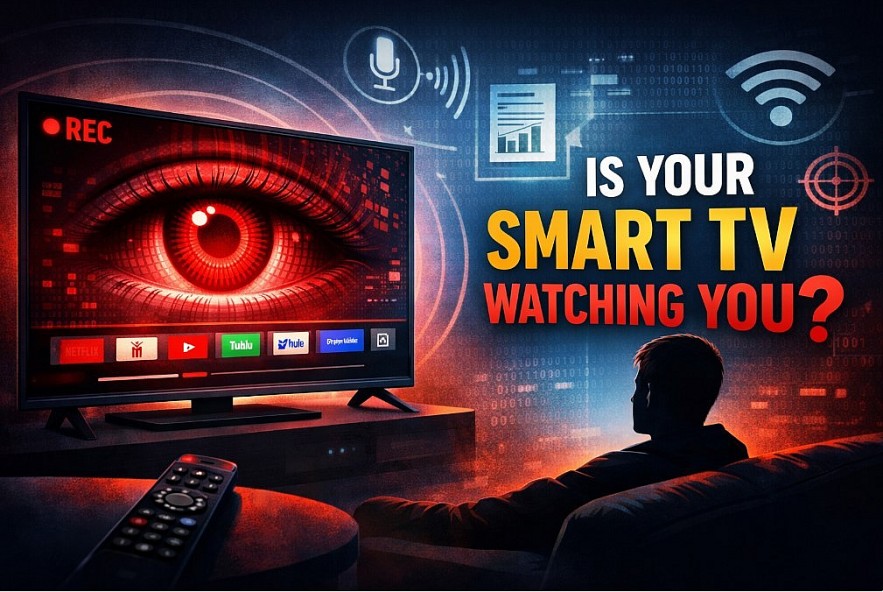
Smart TVs from Samsung, LG, Roku, Vizio and others aren’t just screens anymore. They’re internet-connected computers that collect detailed information about what you watch — and sometimes how you watch it — to tailor ads, power recommendations and sell viewing data to advertisers. That’s a big deal for privacy, and many of these tracking systems are turned on by default.
What’s Actually Being Collected?
Most modern “smart” TVs use Automatic Content Recognition (ACR) technology. ACR uses audio and video fingerprints to identify what’s on your screen — even if you’re watching via HDMI from a gaming console, streaming stick or Blu-ray player — and sends that information back to servers for analysis.
ACR isn’t just about apps like Netflix or Hulu. On many TVs, it works behind the scenes to track every show, ad, and game you watch, regardless of source. Add in voice assistants and advertising IDs, and your TV can collect far more than you realize.
Why This Matters
Here’s what the data can include:
-
Your viewing habits (what you watch and when)
-
Content screenshots and audio fingerprints
-
Ad-response behavior (did you watch the ads?)
-
Device and network identifiers used to build profiles
That data can be used for targeted ads, sold to third-party data brokers, or aggregated to create detailed behavioral profiles — and often without your explicit awareness. That’s why privacy advocates liken smart TV data collection to surveillance technology on your living room wall.
Read more: Where Americans Watch Free Movies and TV Shows on Smart TVs
How to Turn Off TV Data Collection (Step-by-Step, by Brand)
Most smart TVs do allow you to limit data collection, but the controls are often buried deep in menus and labeled in vague ways. You may see terms like Viewing Information Services, Live Plus, or Smart TV Experience instead of a clear “tracking” switch.
Below is a practical, brand-by-brand guide to disabling the most invasive forms of tracking, especially Automatic Content Recognition (ACR) and ad personalization.
Samsung Smart TVs (Tizen OS)
Samsung TVs collect viewing data through Viewing Information Services, which uses ACR to monitor what appears on your screen.
Steps:
-
Press the Home button on your remote
-
Go to Settings > Privacy (or Privacy Choices)
-
Select Viewing Information Services → toggle OFF
-
Go back and open Advertising
-
Turn Limit Ad Tracking ON
-
(Optional) Disable voice assistants under General > Voice
What this does:
-
Stops screen-level content recognition
-
Reduces targeted ads
-
Does not affect basic smart features like Wi-Fi or app updates
Note: Some Samsung models may re-prompt you to re-enable services after firmware updates. It’s worth rechecking these settings periodically.
LG Smart TVs (webOS)
LG’s ACR system is called Live Plus, and it’s usually enabled by default.
Steps:
-
Open Settings
-
Go to General > System > Additional Settings
-
Find Live Plus → toggle OFF
-
Navigate to Advertising
-
Turn Limit Ad Tracking ON
-
(Optional) Disable voice recognition under AI Service
What this does:
-
Prevents LG from identifying on-screen content
-
Limits ad personalization
-
Keeps streaming apps fully functional
Important: If Live Plus remains on, LG may still collect viewing data even from HDMI devices like game consoles or cable boxes.
Roku TVs and Roku OS (TCL, Hisense, Sharp)
Roku labels its ACR system as Smart TV Experience.
Steps:
-
Go to Settings > Privacy
-
Select Smart TV Experience
-
Turn Use Info From TV Inputs OFF
-
Go to Advertising
-
Enable Limit Ad Tracking
-
(Optional) Reset your Advertising ID
What this does:
-
Stops Roku from tracking what you watch via HDMI
-
Reduces cross-device ad profiling
-
Keeps Roku apps and updates working normally
Tip: Roku offers clearer privacy language than many competitors, but its defaults still favor data collection.
Vizio Smart TVs
Vizio has a long history with viewing data collection, making these settings especially important.
Steps:
-
Open Menu > System
-
Go to Reset & Admin
-
Select Viewing Data
-
Toggle OFF
-
Confirm when prompted
What this does:
-
Disables second-by-second viewing data tracking
-
Stops sharing data with advertisers and analytics partners
If this setting is ON, Vizio may collect detailed viewing behavior even if you don’t use built-in apps.
Sony Smart TVs (Google TV / Android TV)
Sony TVs rely on both Google’s ad system and third-party ACR providers like Samba TV.
Steps:
-
Open Settings > Privacy
-
Disable Samba Interactive TV (if present)
-
Go to Ads
-
Turn ON Opt out of Ads Personalization
-
Reset or delete your advertising ID
What this does:
-
Limits cross-app and cross-device ad tracking
-
Reduces third-party viewing data sharing
Note: Google services may still collect minimal diagnostic data required for system operation.
More Steps You Can TakeEven after you turn off built-in tracking, your TV may still send minimal operational data. Here are additional approaches to protect privacy: • Disconnect the TV from the Internet: Without internet access, most data collection stops. • Use an external streaming device with better privacy controls (e.g., Apple TV or Fire TV configured for privacy). • Block domains at your router associated with telemetry (e.g., samsungacr.com). • Avoid voice assistants or mics if you don’t use them. |
The Legal and Privacy Backdrop
Concerns about smart TV tracking aren’t just theoretical. States like Texas have filed lawsuits alleging that major TV makers use ACR technology without proper consent, calling it “mass surveillance” of everyday viewing behavior.
Historically, brands like Vizio have faced fines from the Federal Trade Commission for collecting and selling second-by-second viewing data without explicit opt-in consent, underscoring how pervasive this issue has become.
What Turning Off Data Collection Doesn’t Do
It’s important to set expectations:
-
Your TV may still send basic operational data
-
Software updates and app downloads still require connectivity
-
Ads won’t disappear completely, but they’ll be less targeted
In short, you’re limiting surveillance-style tracking, not breaking your TV.
Bottom Line
Smart TVs offer convenience, but that convenience comes at a privacy cost — unless you take control of the settings. Consumer awareness is growing, and manufacturers can make privacy controls easier to find and understand. Until then, digging into your TV’s privacy menus is the best way to stop it from watching you.